

npm live-server stop
June 19, 2018
How to Find Shopify Product ID Number
October 23, 2018
This post is going to be a complete tutorial for building a react js app. I’m not an advanced react developer that’s why I will need this as a reminder.
I’m going to build a react app as a part of my exercise in The Complete Web Developer course which I take on Udemy.
Step 1: Tool for creating a react app instantly
Because React apps are so common there is a tool that allows us to create a react app right away with all our files already put into the place. It’s called
create-react-app
This tool is a global package that I’ve already installed from the npm. It creates a starter project that contains:
- Webpack
- Babel (allows to use the latest JavaScript features)
- Debugging
This tool creates all this infrastructure for you so can right away you can start writing the app. It’s a very good tool that a lot of people use so I need to install create app.
I need to write in Terminal:
sudo npm install -g create-react-app
sudo command gives the installer administrative rights.
I’ve already installed this tool and I just need to run it in the app folder.
create-react-app starwars
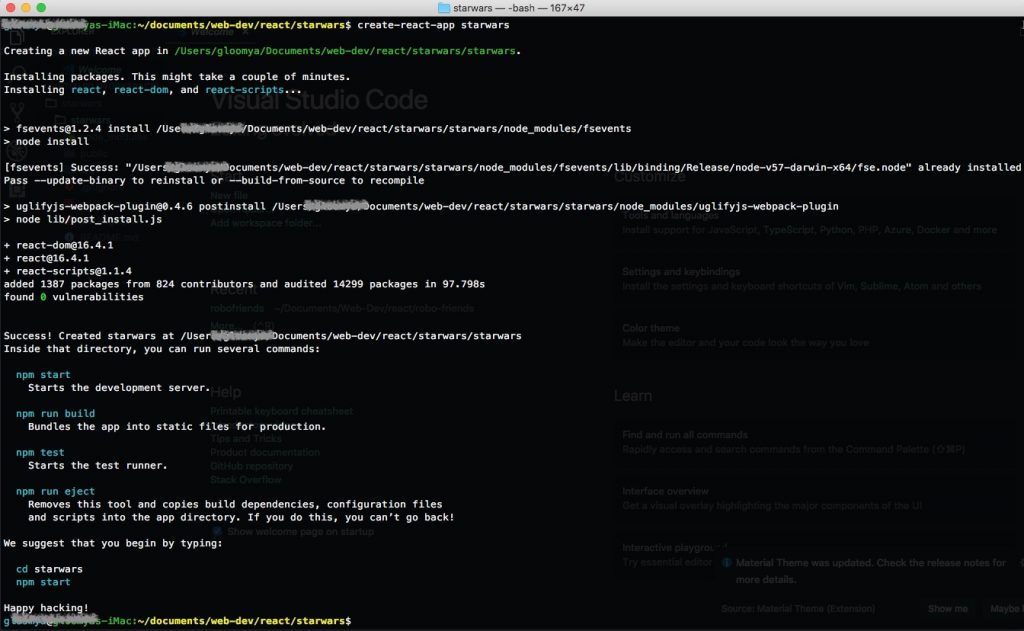
I add this folder to my text editor. I use Visual Studio Code.
Next step I need to start scripts use command
npm start


